
Webinar Banner Ad Submission Guidelines
Please follow the specifications below when submitting banner ads for promotion.
Accepted File Formats
- Static PNG
- Static JPG
- Animated GIF
 Rich media formats are not supported for newsletter banners.
Required Banner Sizes
- 600 × 200 – Email header placement
- 728 × 90 – Newsletter and ROS (run-of-site) placement
- 300 × 250 – Website ROS (run-of-site), used if space is available
- Maximum file size is 250K
Submission Instructions
Please send your completed banner ad file(s) to your Client Relations Representative or Webinar Program Manager.
728×90 Webinar Ad Banner
A clean, horizontal banner that clearly communicates the key information at a glance. It should include a bold headline such as the webinar title, followed by the webinar topics. The date and time must be easy to read and placed prominently. Use legible font colors with strong contrast for readability. Include a simple call-to-action like “Register Now.”

Static 728×90 Banner Design Sample

Animated 728×90 Banner Design Sample
600×200 Webinar Header Banner
A slightly larger banner that allows for a bit more detail. It should feature a clear headline highlighting the webinar topic, along with a short supporting line if needed. The date and time should be clearly visible. Ensure all text uses legible colors for easy reading. A call-to-action such as “Save Your Spot” can also be included.

Static 600×200 Email Header Banner Design Sample

Animated 600×200 Email Header Banner Design Sample

Email 600×200 placement sample
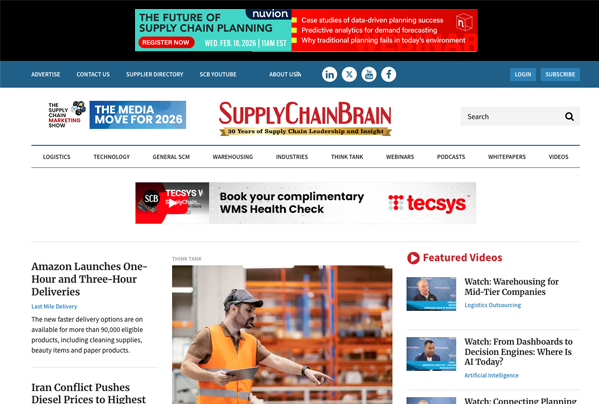
SupplyChainBrain.com 728×90 sample